
Add data to your database with POST
Let’s learn how to add data to your database using the POST method.
Before working on CRUD operations, ensure your Node-RED environment is connected to your MongoDB database.
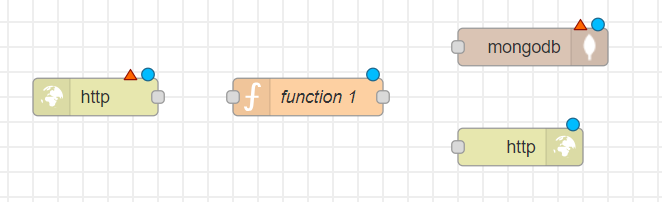
To build the POST method, we will need the following nodes:
| Node | Description |
|---|---|
| http in | Listens to HTTP requests. |
| function | Allows to write custom JavaScript code to manipulate data passed through it. |
| mongodb out | Allows data to be stored, updated, or removed from a MongoDB collection. |
| http response | Replies to HTTP requests. |
-
Drag and drop the nodes onto the dashboard in
the specified order:
-
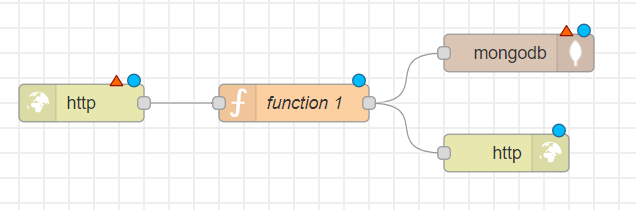
To connect a node to the next one, click on
the gray square on its right border and drag your mouse to the gray square
on the left border of the next node. You will see a line linking the two
nodes. Now, we are ready to configure each of the nodes.
-
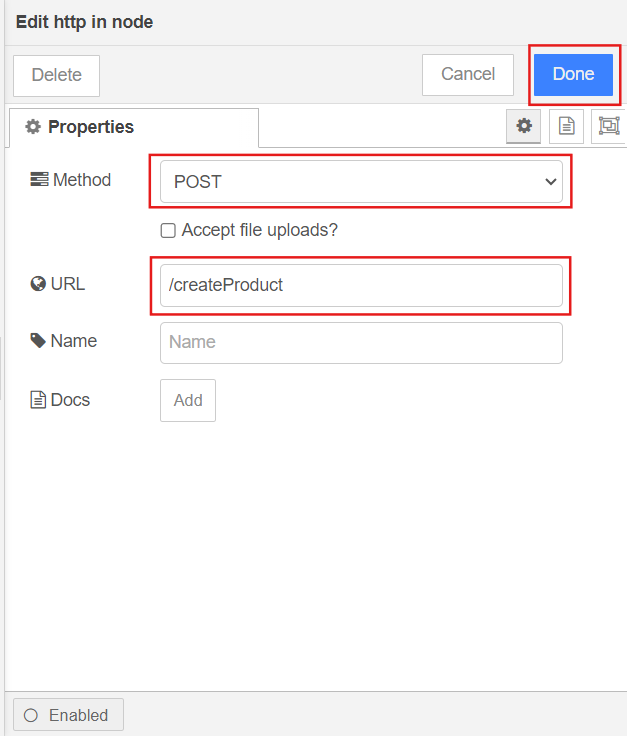
http in
Double-click the node to open its properties. Set the method to POST, name the endpoint for your URL, and click Done.
-
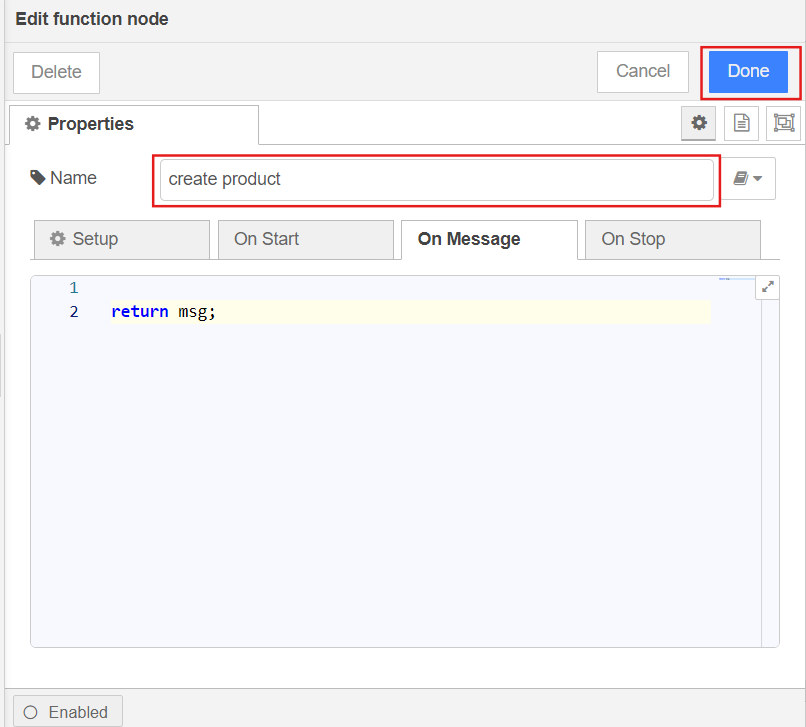
function
Since we want to store the entire request body in the database, we will not add any code to the function. Choose a name for the node that better reflects its purpose, then click Done.
-
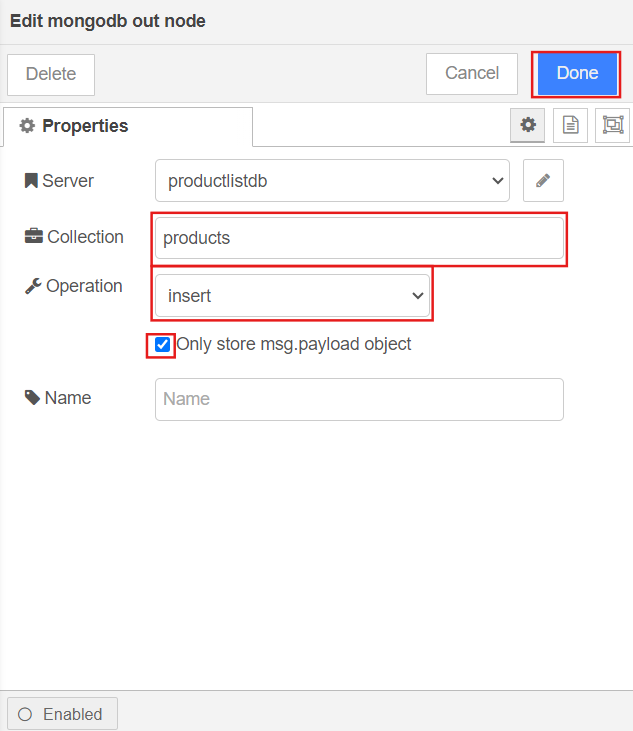
mongodb out
Specify the collection name and set the operation to insert. Check the box Only store msg.payload object, then click Done.
-
http response
Leave the node without any changes.
- Deploy the service.
The API is now ready to store information in the database using the POST method.
To test your REST API, you can use a platform like Postman.